Scripts
Every Bun script in package.json, what it does, and when you'd run it.
Most day-to-day work happens through bun run setup:all and bun run tauri dev. The full table below covers every script in the
repository's top-level package.json.
Top-level scripts
| Script | Description |
|---|---|
setup:all | Full setup — orchestrator at data/prepare-embeddings.ts (idempotent; pass --force to re-run every phase) |
setup:windows | Windows bootstrap — installs LLVM + CMake via winget and persists LIBCLANG_PATH |
dev | Start Vite dev server |
build | tsc -b + Vite production build |
tauri | Run Tauri CLI commands (tauri dev, tauri build) |
test | Run Vitest tests |
lint | ESLint |
format | Prettier (writes to **/*.{ts,tsx}) |
typecheck | tsc --noEmit |
preview | Preview the Vite production build |
Data pipeline scripts
| Script | Description |
|---|---|
download:bible-data | Download the bundled translation archive + cross-references zip |
build:bible | Build SQLite Bible database from the downloaded JSON sources |
download:model | Export Qwen3-Embedding-0.6B to ONNX + quantize to INT8 |
export:verses | Export KJV verses to JSON for embedding precomputation |
precompute:embeddings | Precompute embeddings via the rhema-detection Rust ONNX binary (recommended) |
precompute:embeddings-onnx | Same, but via Python ONNX Runtime |
precompute:embeddings-py | Same, but via Python sentence-transformers (GPU path) |
quantize:model | Quantize ONNX model to INT8 for ARM64 (optimum-cli onnxruntime quantize --arm64) |
download:whisper | Download ggml-large-v3-turbo-q8_0.bin for local Whisper STT |
download:ndi-sdk | Download NDI 6 SDK headers and platform libraries |
Web subsite scripts
| Script | Description |
|---|---|
web:dev | cd web && bun run dev — runs the marketing + docs Next.js site |
web:build | cd web && bun run build — produces the static export |
web:start | Serve the built site locally |
web:lint | Lint the web subdirectory |
The web/ workspace itself has its own package.json with dev,
dev:no-open, build, start, lint, and postinstall (which
runs fumadocs-mdx).
Three flavors of precompute
The three precompute:embeddings* scripts trade off speed and
dependency weight:
precompute:embeddings— Rust ONNX binary, no Python required at runtime. The default path insidesetup:allwhen no GPU is detected.precompute:embeddings-onnx— Python ONNX Runtime, useful when you want to iterate on the export or debug embeddings.precompute:embeddings-py— sentence-transformers + PyTorch on GPU when one is available; this is the fastest end-to-end on Apple Silicon and CUDA.
When to run what
| Scenario | Script |
|---|---|
| First clone | bun install && bun run setup:all |
| Translation source changed | bun run download:bible-data && bun run build:bible |
| Embedding model bumped | bun run download:model && bun run precompute:embeddings |
| Need NDI broadcast | bun run download:ndi-sdk |
| Reinstall the Whisper model | bun run download:whisper |
| Just want to see the UI | bun run tauri dev |
| Cutting a release | bun run tauri build |
CI usage
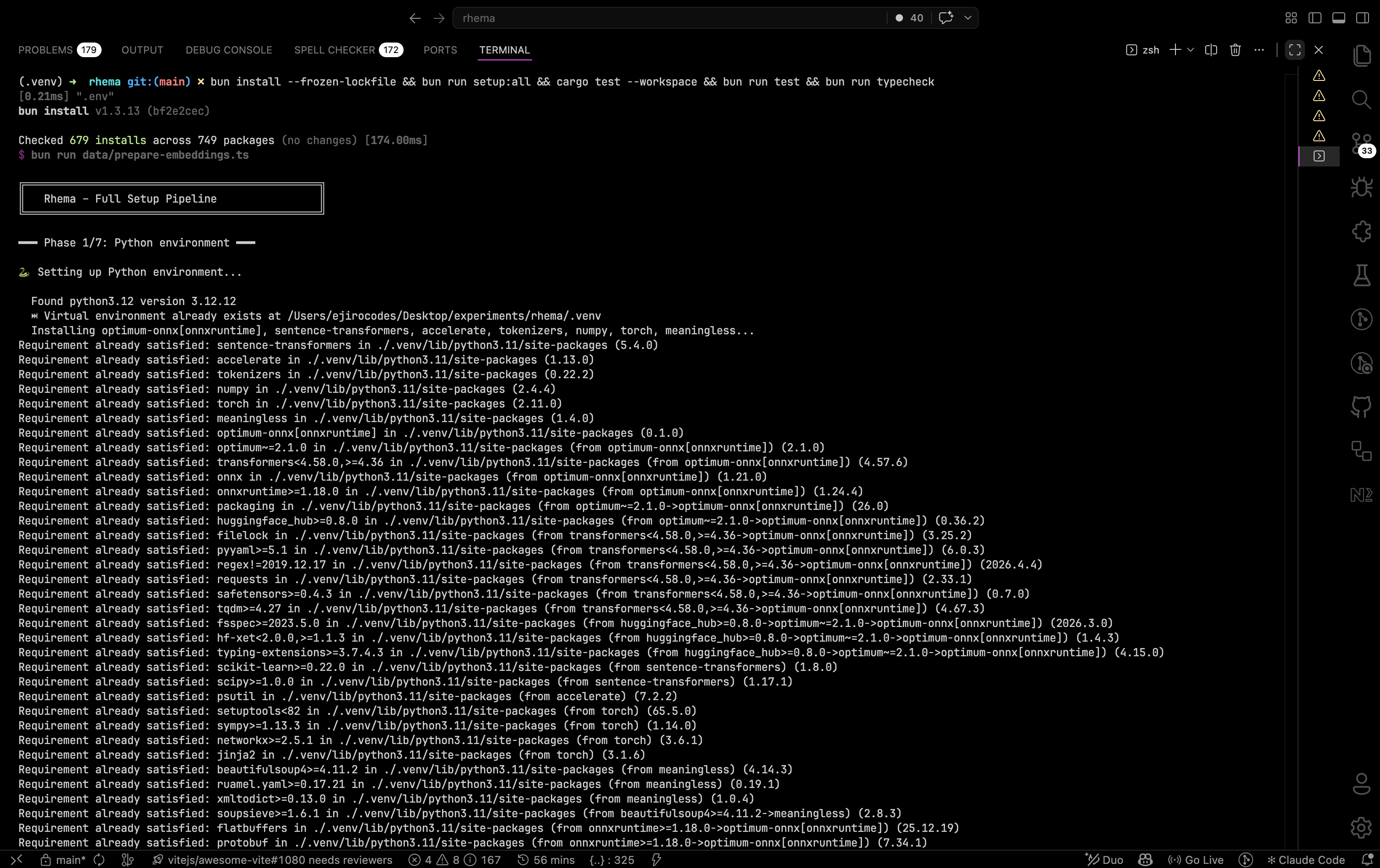
A successful CI run on a fresh checkout: setup:all walks the seven phases, cargo test --workspace exercises the Rust crates, then bun run test runs the frontend Vitest suite. Idempotent skip lines appear when artifacts already exist, so subsequent runs are much faster. Click to expand.
The setup pipeline is designed to be CI-safe — every script is idempotent and exits non-zero on real failure (rather than silently skipping). A typical CI job is:
bun install --frozen-lockfile
bun run setup:all
cargo test --workspace
bun run test
bun run typecheck