Security
Content Security Policy, threat model, and how to report a vulnerability responsibly.
Rhema runs as a Tauri v2 desktop app, which means a Chromium-derived WebView with elevated privileges (filesystem, IPC, network). Compromising the WebView would compromise the host. We treat that seriously.
Content Security Policy
The Tauri WebView ships with a restrictive CSP defined verbatim in
src-tauri/tauri.conf.json. The full directive list:
default-src 'self';
script-src 'self';
style-src 'self' 'unsafe-inline';
img-src 'self' data: blob:;
font-src 'self' data:;
connect-src 'self';
media-src 'self' blob:;
worker-src 'self';
frame-src 'none';
frame-ancestors 'none';
object-src 'none';
base-uri 'self';
form-action 'self';
manifest-src 'self'
A few things worth calling out:
script-src 'self'— no inline scripts, noeval, no third-party JS. The Tauri runtime injects its IPC bootstrap before the CSP applies.style-src 'self' 'unsafe-inline'— required by Radix / shadcn for runtime style injection on portals and animations.connect-src 'self'— the WebView itself only talks to the Tauri IPC channel. Outbound network traffic (Deepgram WebSocket, Bible data downloads) all happens from the Rust side, so the webview doesn't need to allow-list those endpoints.frame-ancestors 'none'— the WebView can't be embedded anywhere.object-src 'none'+base-uri 'self'— block plugin vectors and base-tag injection.
Reporting a vulnerability
Please report privately first
If you find a security issue, do not open a public GitHub issue. Send a private report by following the instructions in SECURITY.md in the repo.
Tauri capabilities
Rhema follows Tauri v2's principle-of-least-privilege capability
system. Capability files live under src-tauri/capabilities/ —
today there are two: default.json and desktop.json.
If you're reviewing the codebase for security:
- Start at
src-tauri/capabilities/*.jsonto see which Tauri commands and plugins are reachable from each window. - Trace each granted command to its handler in
rhema-api. - Audit the handler's input validation and side effects.
Remote control defaults — read carefully
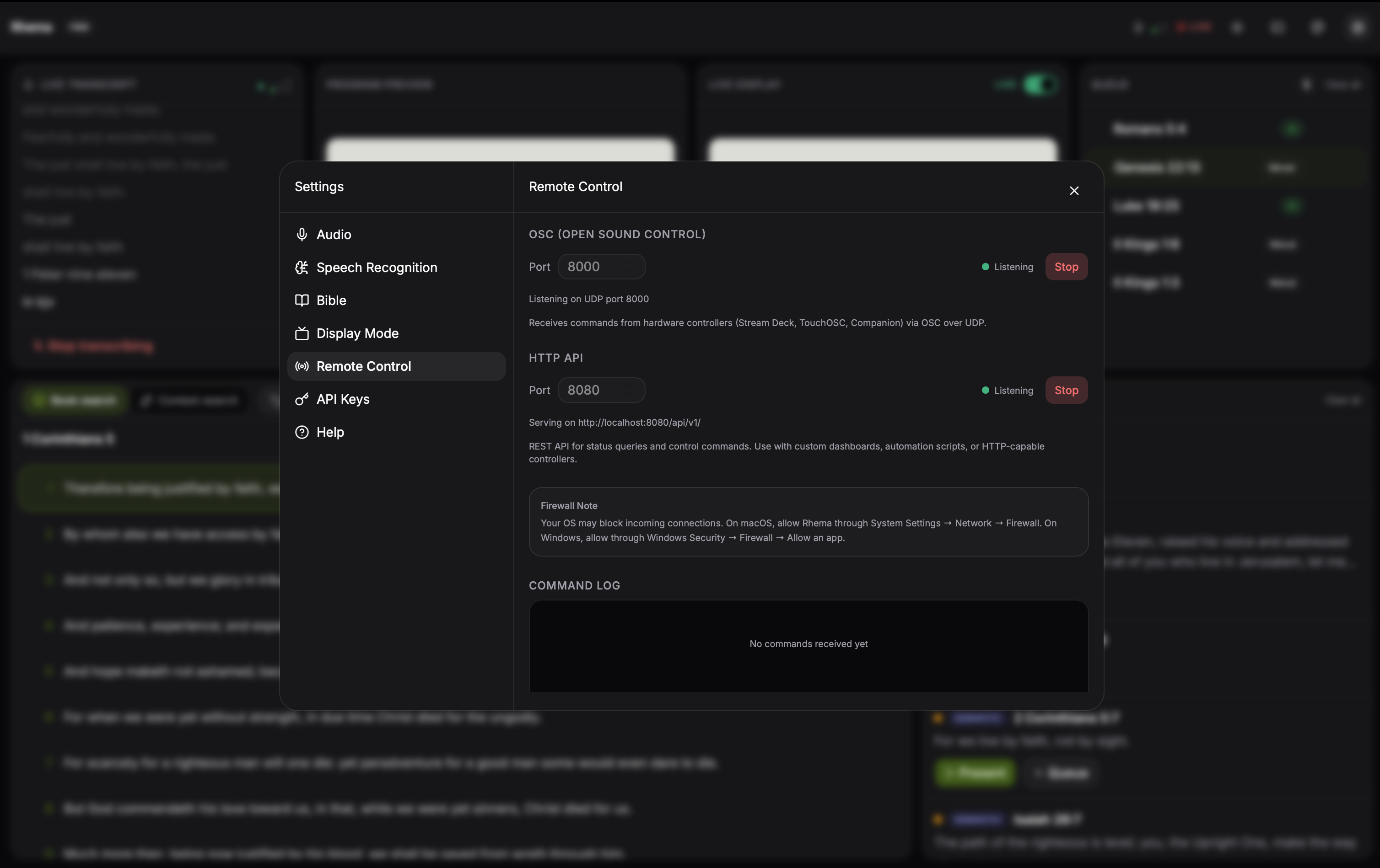
Settings → Remote is where you'd swap the listener bind hosts from 0.0.0.0 to 127.0.0.1 when you don't want LAN-wide reachability. Port-bind failures show inline so you can spot a misconfigured port without leaving the dialog. Click to expand.
The OSC and HTTP listeners are not locked down by default. The shipped defaults are:
- OSC: bind host
0.0.0.0, port8000. - HTTP: bind host
0.0.0.0, port8080, withCorsLayer::permissive()attached to the Axum router.
That means any device on the local network can drive the app and read its status without authentication. This is intentional for the LAN-only use case (Stream Deck on your operator's laptop), but it is unsafe to leave on once the listener is reachable from a broader network.
Before exposing Rhema beyond a trusted LAN:
- Bind both listeners to
127.0.0.1from Settings → Remote. - Or front them with a reverse proxy that adds authentication and TLS.
- Or restrict ingress at your firewall.
There is no built-in rate limit or auth on either protocol — the API is intentionally simple so it composes with whatever you already trust.
Defaults that protect the operator
- No telemetry — Rhema does not phone home. There's no analytics, no crash reporter, no usage tracking.
- Local-first by default — Whisper runs locally, the database lives on disk, and Deepgram is opt-in. No keys, no internet, no problem.
- Bundled SQLite —
rusqlitewith thebundledfeature, so the binary doesn't link against a system SQLite that could be swapped out.