Speech-to-Text Engines
Choose between local Whisper and cloud Deepgram, and configure either with the right environment variables.
Rhema supports two STT engines, and you can swap between them at runtime from the settings dialog. They map cleanly to two different operating modes: zero-marginal-cost local inference, or offload-to-the-cloud streaming.
Whisper (local, free)
Runs whisper.cpp on your machine — no API key, no internet, no per-minute billing. Higher first-build cost since whisper.cpp compiles from source.
Deepgram (cloud, paid)
Streams audio to Deepgram's WebSocket endpoint with a REST fallback. Lower latency and higher accuracy on long-form sermons; needs a paid API key.
Option 1: Whisper (recommended for most installs)
The Whisper integration uses whisper.cpp
through the whisper-rs = "0.16" Rust crate (gated behind the
whisper feature on rhema-stt). The first cargo build compiles
the C++ source via bindgen.
The model file (ggml-large-v3-turbo-q8_0.bin) is downloaded once
into models/whisper/ as phase 7 of setup:all. If you skipped
or interrupted that phase, run it on its own:
bun run download:whisperBuild dependencies
You need CMake and libclang on your PATH for the Rust
build to succeed. macOS gets these from Homebrew
(brew install cmake) plus the Xcode CLT. Linux gets them from your
package manager. Windows installs them via bun run setup:windows.
See Platform setup for the
exact commands.
Option 2: Deepgram
Deepgram is a cloud speech-to-text service that streams audio over a WebSocket. Rhema also has a REST fallback that re-uploads short windows if the WebSocket disconnects.
1. Get an API key
Sign up at deepgram.com and copy your API key.
2. Add it to .env
Create a .env file in the project root:
DEEPGRAM_API_KEY=dg_your_key_hereRestart bun run tauri dev so the new key is picked up.
3. Switch to Deepgram in the app
Open Settings → STT and choose Deepgram. The status indicator shows WebSocket health in real time; if it falls back to REST, you'll see that labeled too.
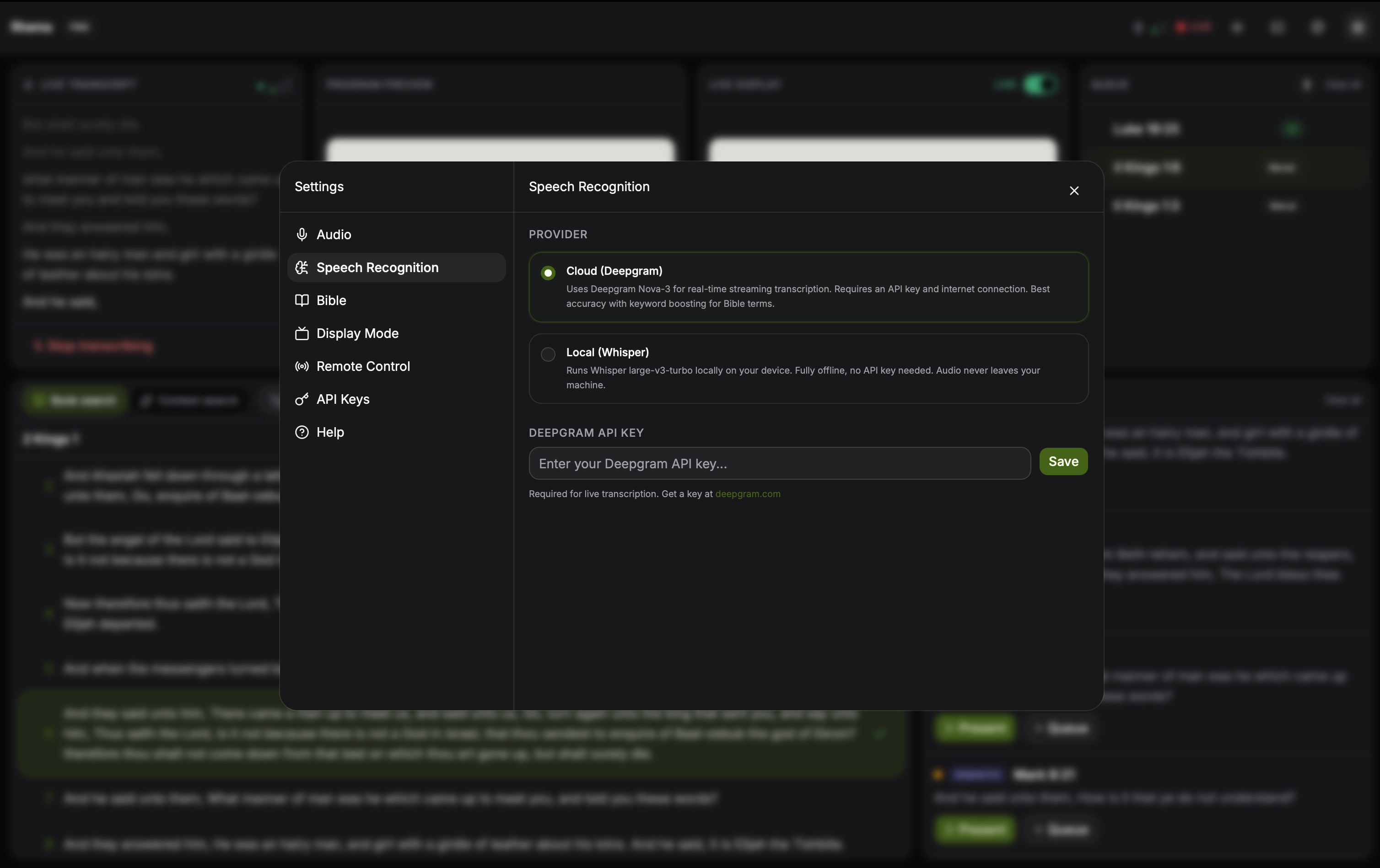
Settings → STT lets you flip between local Whisper and cloud Deepgram at runtime. The connection status indicator under the picker turns green when Deepgram's WebSocket is healthy and amber when it falls back to REST. Click to expand.
Switching engines at runtime
Both engines are wired into the same transcript stream, so you can switch without restarting the session. The active translation, sermon context, and queue state are preserved across the swap.
Comparing the two
| Whisper (local) | Deepgram (cloud) | |
|---|---|---|
| API cost | Free | Per-minute billing |
| Internet required | No, after the model is downloaded | Yes (WebSocket) |
| First-build time | Several minutes — whisper.cpp compiles via bindgen | Instant |
| Long-form accuracy | Good | Excellent |
| Punctuation | Decent | Excellent |
| Works offline | Yes | No |
Latency depends heavily on hardware and network conditions, so we
don't publish a single number — Whisper benefits from any GPU/Metal
acceleration whisper-rs can pick up, and Deepgram is bounded by the
round-trip to its nearest region. Pick whichever fits your install:
Whisper for the no-cost local path, Deepgram for the lowest latency
and best transcription quality on a reliable network.