Theme Designer
A visual canvas editor that produces broadcast-ready verse overlays — backgrounds, typography, shadows, outlines, and exact pixel positioning.
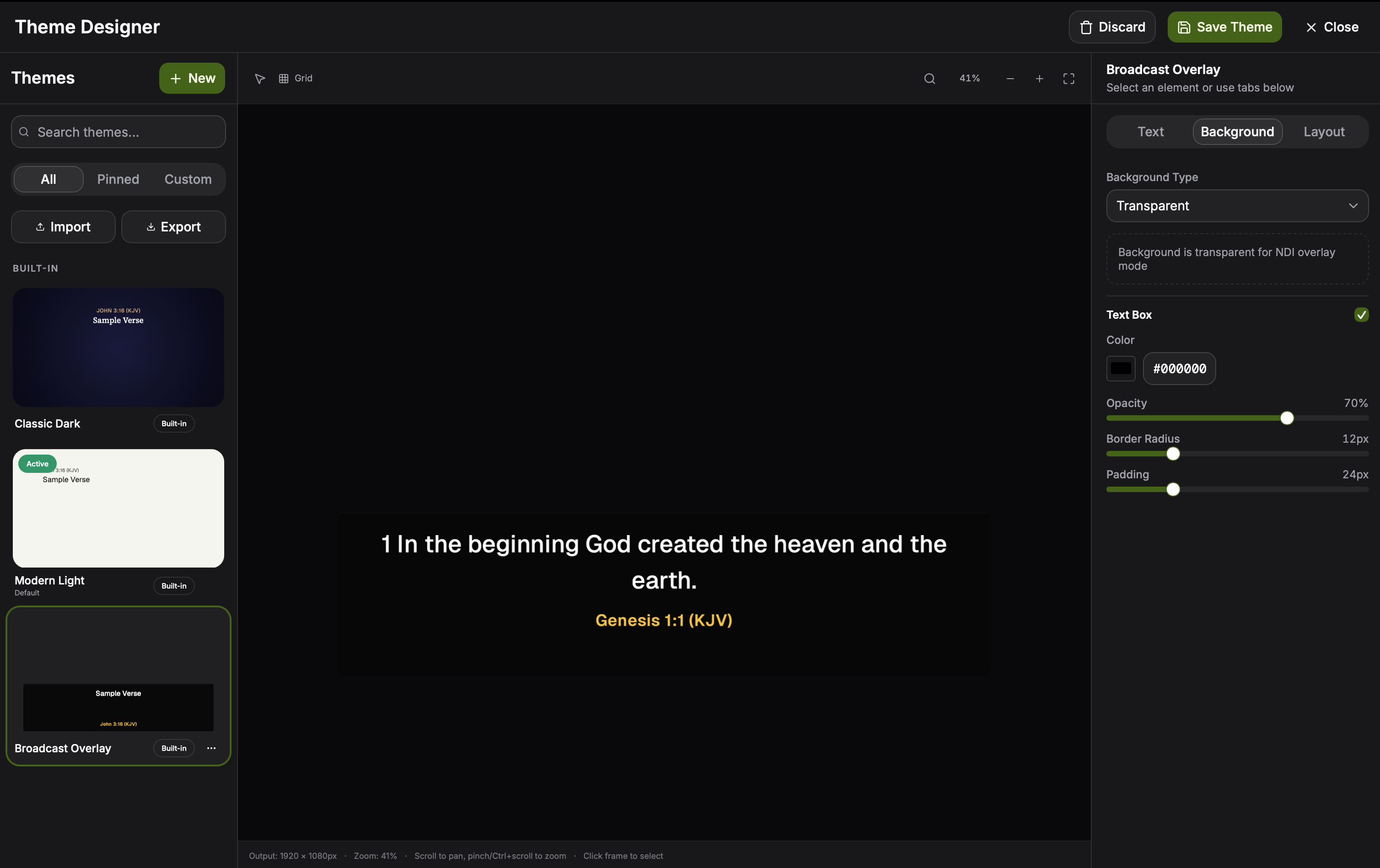
The theme designer lets you build verse overlays the same way a graphic designer would — by composing on a canvas — and then sends the result to NDI exactly as designed.
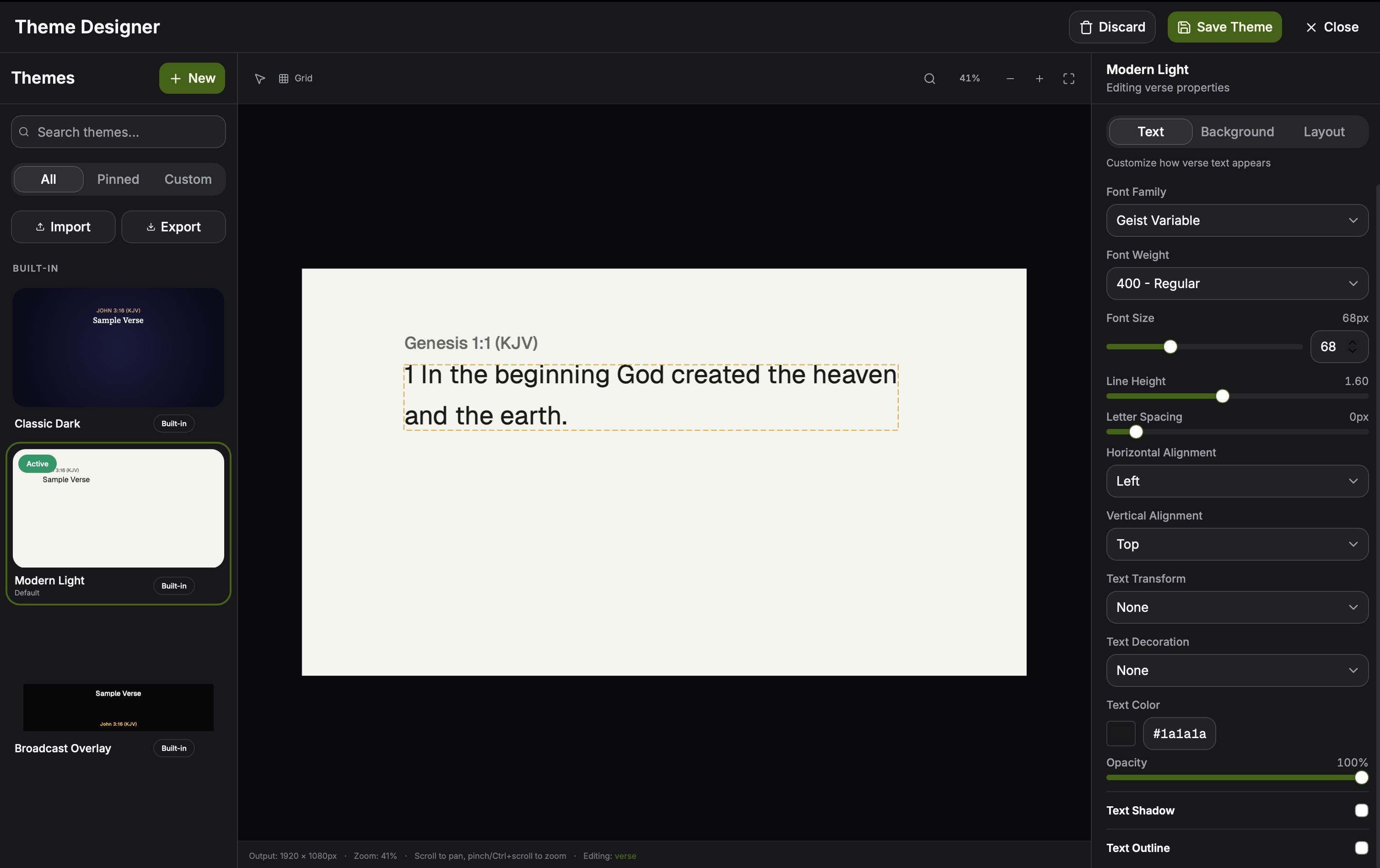
The theme designer canvas with the inspector panel on the right. Each token (reference, verse text, translation tag, verse number) is its own selectable element with its own typography, fill, shadow, and outline controls. Click to expand.
What you can compose
- Backgrounds: solid colors, multi-stop gradients, still images, or
fully transparent (the four background types in
BroadcastTheme). - Typography: choose any installed system font, set size, weight, letter-spacing, line-height, and alignment.
- Effects: drop shadows, outlines/strokes, fills, and blur.
- Layout: drag elements to position them with pixel precision; the canvas reflects the exact NDI output dimensions. Dragging the reference or verse frame detaches them into free positioning mode, where each block has its own X/Y/width/height (also editable as percentages in the Layout tab). Keep them stacked and the classic above/below/inline flow applies instead.
- Tokens: place the verse text, the reference, the translation tag, and the verse number as separate elements so they can be styled independently.
- Verse numbers: toggle visibility, render as superscript (with an adjustable size relative to the verse text), and give them their own colour — e.g. a yellow number in front of white verse text.
Built-in starters
Rhema ships with four opinionated starter themes (src/lib/builtin-themes.ts)
that you can clone and modify:
- Classic Dark — a high-contrast dark overlay tuned for typical stage lighting.
- Modern Light — a soft, light-on-dark variant for warmer venue palettes.
- Lower Thirds — a transparent-background band across the bottom of the frame, reference top-left with the verse text beneath it, for keying over a live camera feed.
- Banner Split — a free-positioning example with the reference in a top-left banner and the verse block detached below it.
Each starter is a regular project file you can save, version, and re-export.
Switching themes live
The theme picker lives next to the on-air toggle in the transport bar. Hovering an entry shows a thumbnail of how the active verse will look in that theme, so operators can preview before committing. Click to expand.
Themes can be activated from:
- The theme picker in the transport bar.
- A Stream Deck or other OSC controller (
/rhema/theme). - The HTTP control endpoint (
POST /api/v1/commandwith{ "command": "theme", "value": "Classic Dark" }).
The currently active theme is reflected in the preview panel before it goes on-air, and committed to NDI when you toggle the on-air switch.
Resolution and color space
NDI output is composited at the exact pixel dimensions of the canvas. If your downstream switcher (vMix, OBS, Resolume) expects 1920×1080 with straight alpha, set the canvas to that and Rhema sends straight alpha NDI frames natively.
Saving and sharing
Themes are persisted to broadcast-themes.json in the app's data
directory via tauri-plugin-store (see src/stores/broadcast-store.ts),
so changes auto-save across restarts. The JSON is self-contained — no
external font files or absolute paths — so you can copy a theme between
machines or commit them to a service template repository for your team.