Bible Translations
Ten bundled translations across four languages, served from a single SQLite database with FTS5 full-text search.
Rhema ships with ten Bible translations spanning English, Spanish, French,
and Portuguese. They're stored in a single SQLite database (data/rhema.db)
with FTS5 virtual tables for fast text search.
Bundled translations
The list comes verbatim from data/download-sources.ts —
EXPECTED_TRANSLATIONS enumerates the JSON files that setup:all
expects under data/sources/:
| File | Translation | Language |
|---|---|---|
KJV.json | King James Version | English |
NIV.json | New International Version | English |
ESV.json | English Standard Version | English |
NASB.json | New American Standard Bible | English |
NKJV.json | New King James Version | English |
NLT.json | New Living Translation | English |
AMP.json | Amplified Bible | English |
SpaRV.json | Reina-Valera | Spanish |
FreJND.json | Darby (French) | French |
PorBLivre.json | Almeida Livre | Portuguese |
How they're delivered
All ten translations come from a single bundled archive that
download-sources.ts fetches during phase 2 of setup:all. There's
no separate BibleGateway phase — earlier copy was wrong about that.
The cross-reference dataset is fetched in the same phase from
openbible.info.
Cross-references
Rhema imports 340k+ cross-references (the bundled file currently has 344,800 entries) from openbible.info so every verse links to thematically related passages. The cross-reference panel shows them ranked by relevance, and you can click through to queue any of them for broadcast.
Switching translations during a sermon
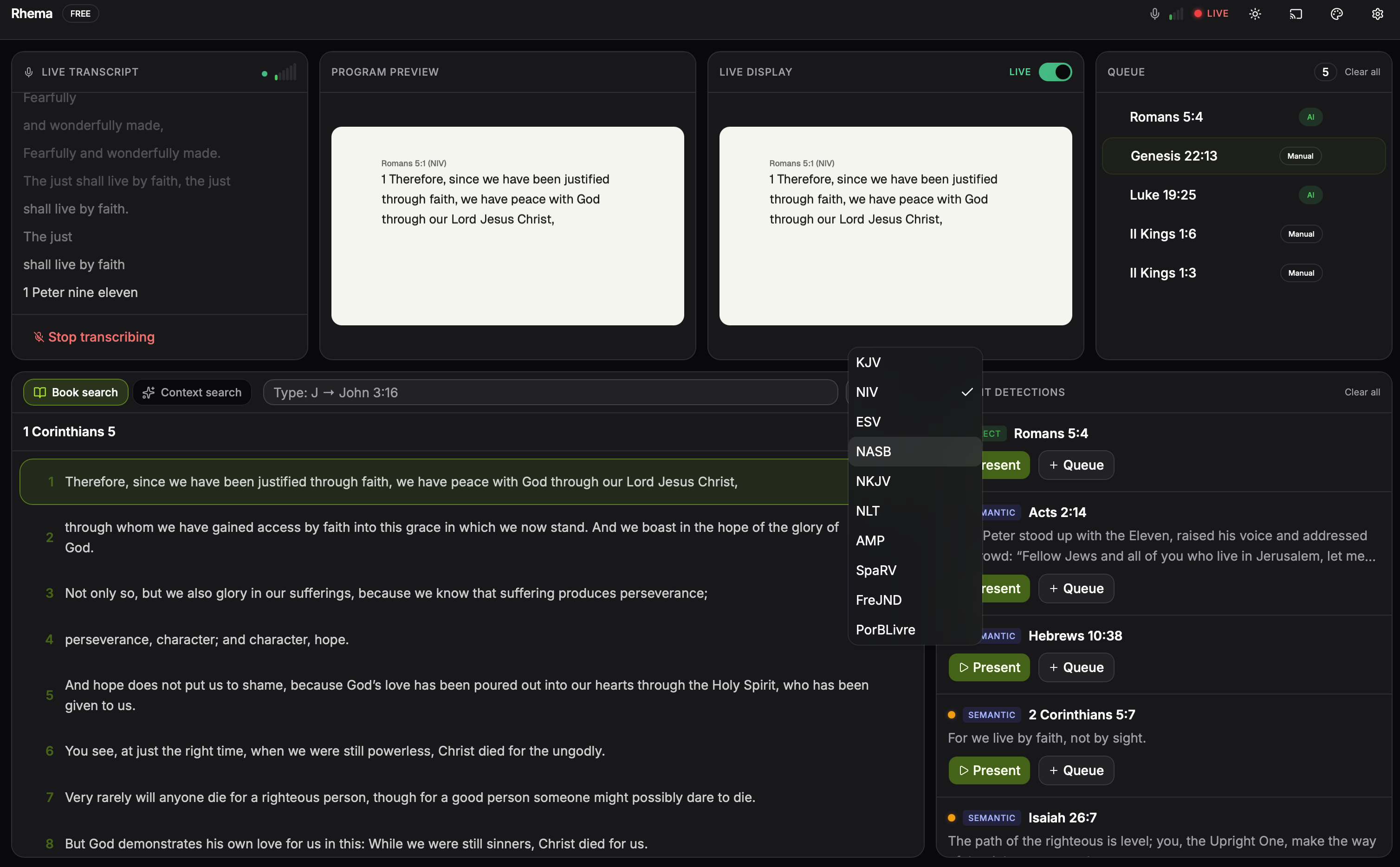
The transport-bar translation picker lists every bundled translation. The active translation is the one rendered on the live overlay; switching here is the same surface that voice commands and remote control hit under the hood. Click to expand.
The active translation is the one rendered on the broadcast overlay. You can change it three ways:
- Voice command — "read in NIV", "switch to ESV", and so on. See Voice control for the full alias table.
- UI control — the translation picker in the transport bar.
- Remote control — OSC, HTTP, or a Stream Deck button. See Remote control.
When you swap, the live overlay reflows with the new translation while keeping the same verse reference.
Search architecture
Every translation has its own FTS5 virtual table. SQLite's FTS5 ships with BM25 ranking by default, which gives natural results when searching by phrase ("walk by faith", "fearfully and wonderfully").
The frontend layers Fuse.js (src/lib/context-search.ts) on top for
instant fuzzy search across the recent transcript context — the kind of
typing-while-searching experience you want when scrubbing for a verse
during a service.