Verse Queue & Navigation
A drag-and-drop queue with duplicate prevention plus keyboard-driven verse entry that autocompletes books, chapters, and verses.
Detection feeds the queue, but operators still curate it. Rhema's queue panel is built for live work — fast keyboard input, drag reordering, and visible feedback when something doesn't go through.
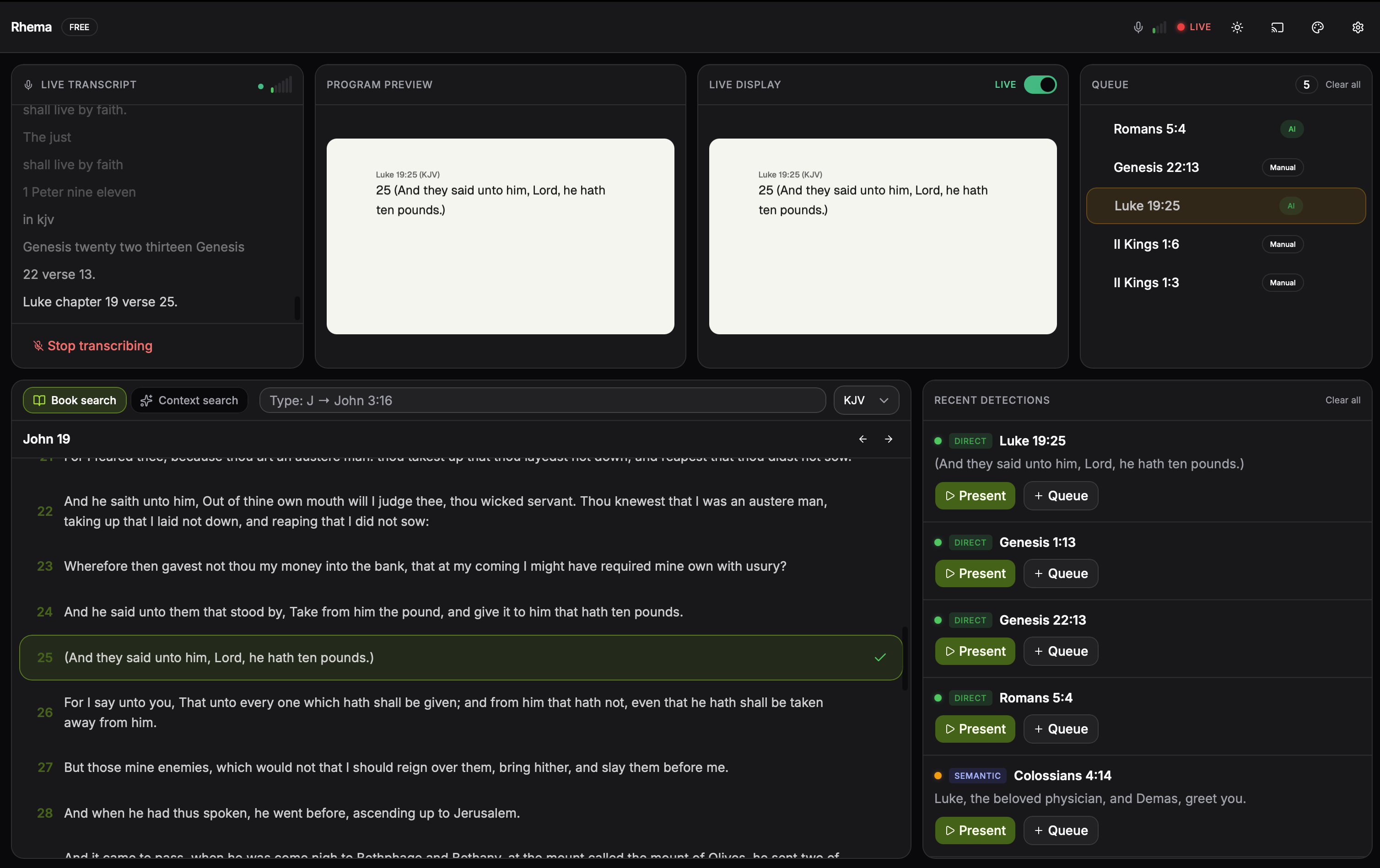
The queue panel mid-service: each card shows the reference, translation, and arrival timestamp. The orange flash at the top is a duplicate-suppression highlight — Rhema saw the same verse a second time and surfaced the existing entry instead of inserting a copy. Click to expand.
The queue
The queue is the staging area between the detector and the live overlay. Verses arrive from:
- The detector when confidence clears the threshold.
- A search result that you click into the queue.
- Voice control or remote control commands.
- Manual entry via the quick-nav input.
Each item shows the reference, translation, and timestamp. You can:
- Drag to reorder — the next-up item is always the one at the top.
- Click to send to the live preview without committing to NDI yet.
- Press Enter to commit the previewed verse on-air.
- Right-click for verse-level actions (remove, copy, queue cross-reference).
Duplicate prevention
Detected verses can flicker — the same passage might land twice in quick succession. The queue silently discards exact duplicates, and flash-highlights the existing item so the operator knows the system is paying attention.
Quick navigation
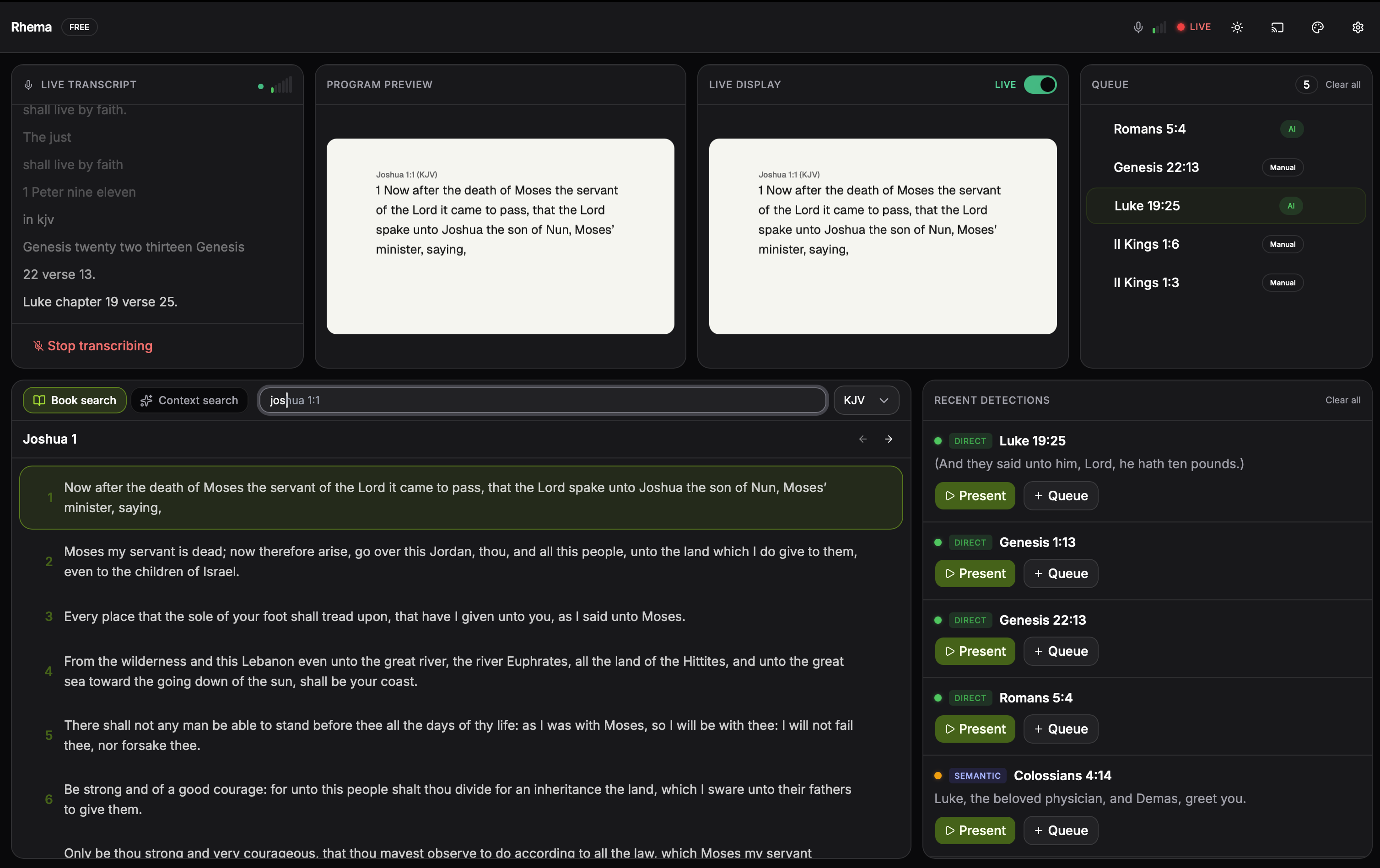
Type a letter and the quick-nav popover suggests every book starting with it. Tab to commit the book, then chapter, then verse — Enter drops it into the queue, Shift+Enter sends it directly to live. Click to expand.
The quick-nav input is a keyboard-driven verse picker. It autocompletes as you type:
- Type
J→ suggests Joshua, Job, John, James, Jude. - Press Tab to commit the book.
- Type the chapter, Tab, then the verse.
- Press Enter to drop it into the queue (or Shift+Enter to send it directly to live).
The same picker is exposed as a global hotkey so you can call it from anywhere in the app without clicking the input first.
Fuzzy contextual search
The search panel runs Fuse.js client-side over the recent transcript context — exactly what you want when scrubbing back to "the thing the pastor said about endurance two minutes ago". It's fast enough to feel instant on a 5,000-word transcript.
For full Bible search, the same panel falls back to FTS5 + BM25 over the SQLite database. Both modes are unified behind one input.
Cross-references
Each verse in the queue links to its cross-references. Click through to add a related passage from the 340k+ openbible.info dataset. The ranking honors traditional weight — strongest themes first, weaker allusions deeper in the list.
Operator tip
During live services, run with the cross-reference panel pinned. When the pastor pivots from "for God so loved the world" to "Romans 5:8", that pivot is usually a tap or two away in the cross-reference list rather than a fresh search.